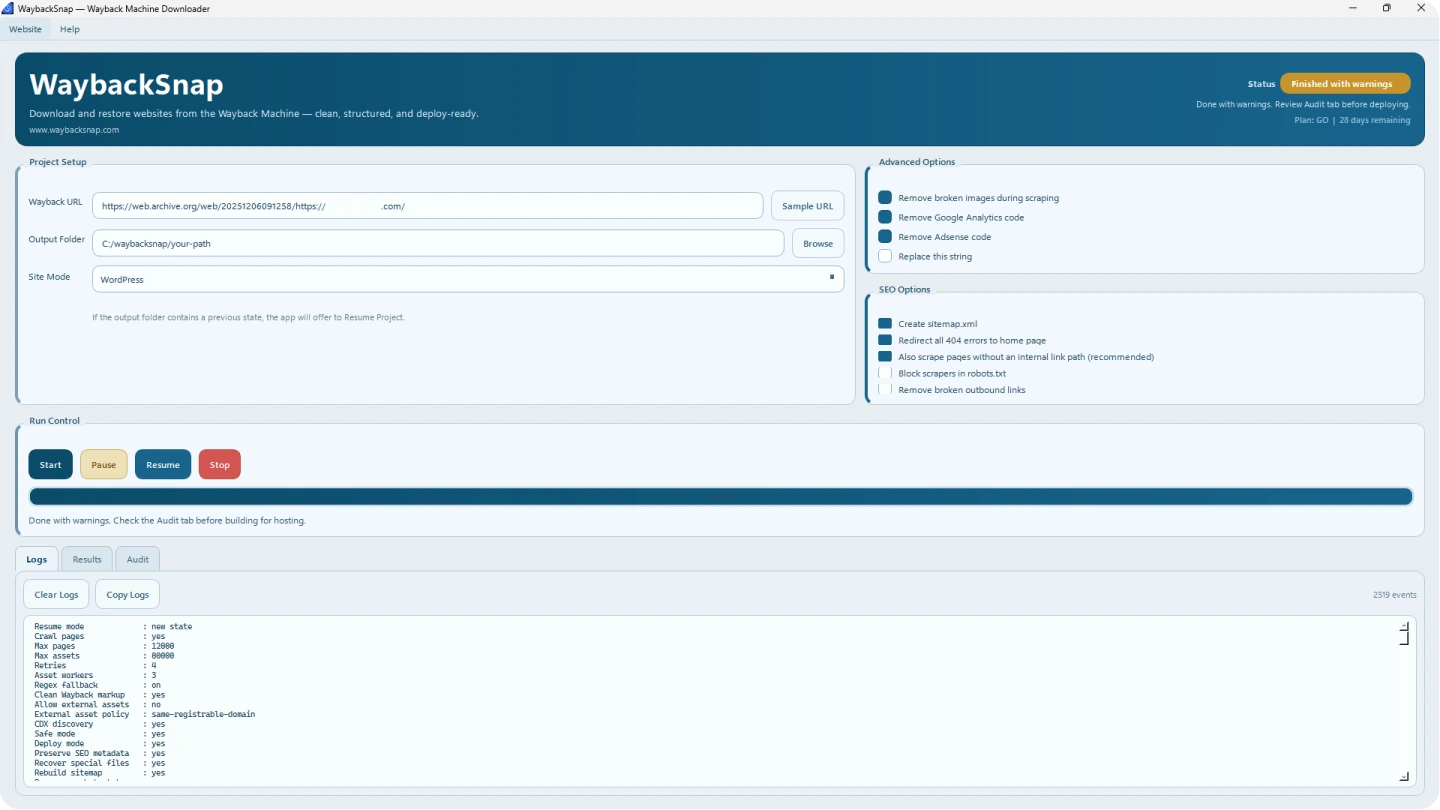
Simple Project Setup
Enter a Wayback Machine URL, choose an output folder, select HTML/PHP or WordPress mode, and start the restore process.
WaybackSnap is a Windows desktop application that helps you download and restore archived websites from the Wayback Machine into clean, deployment-ready HTML, PHP, or WordPress output without paying per domain during your active plan.
Secure Checkout · Time-Based License · Email Support · No Per-Domain Fees

Problem Solved
Many website restore services charge every time you need to recover a domain. WaybackSnap gives you a more cost-efficient workflow: use one Windows desktop app to download and restore as many websites as you need during your active plan.
What You Buy
WaybackSnap is a Windows desktop app that helps you download and restore websites from the Wayback Machine by yourself without paying per download or per domain. As long as your selected plan is active, you can restore websites as often as you need.
App Preview
These previews highlight a clean, modern Windows interface for downloading and restoring websites from the Wayback Machine.
Enter a Wayback Machine URL, choose an output folder, select HTML/PHP or WordPress mode, and start the restore process.
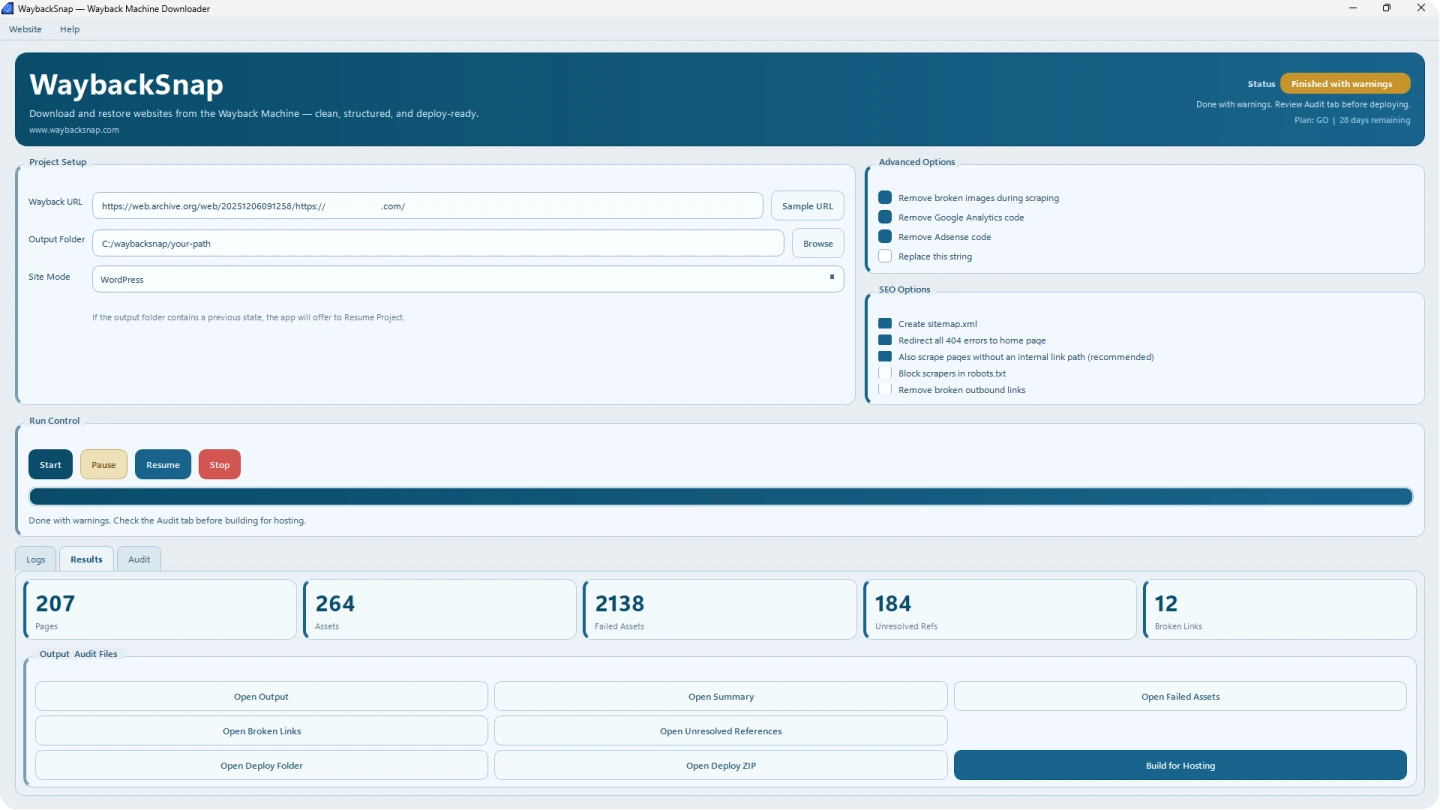
Review recovered pages, assets, failed assets, unresolved references, and broken links before deploying your restored website.
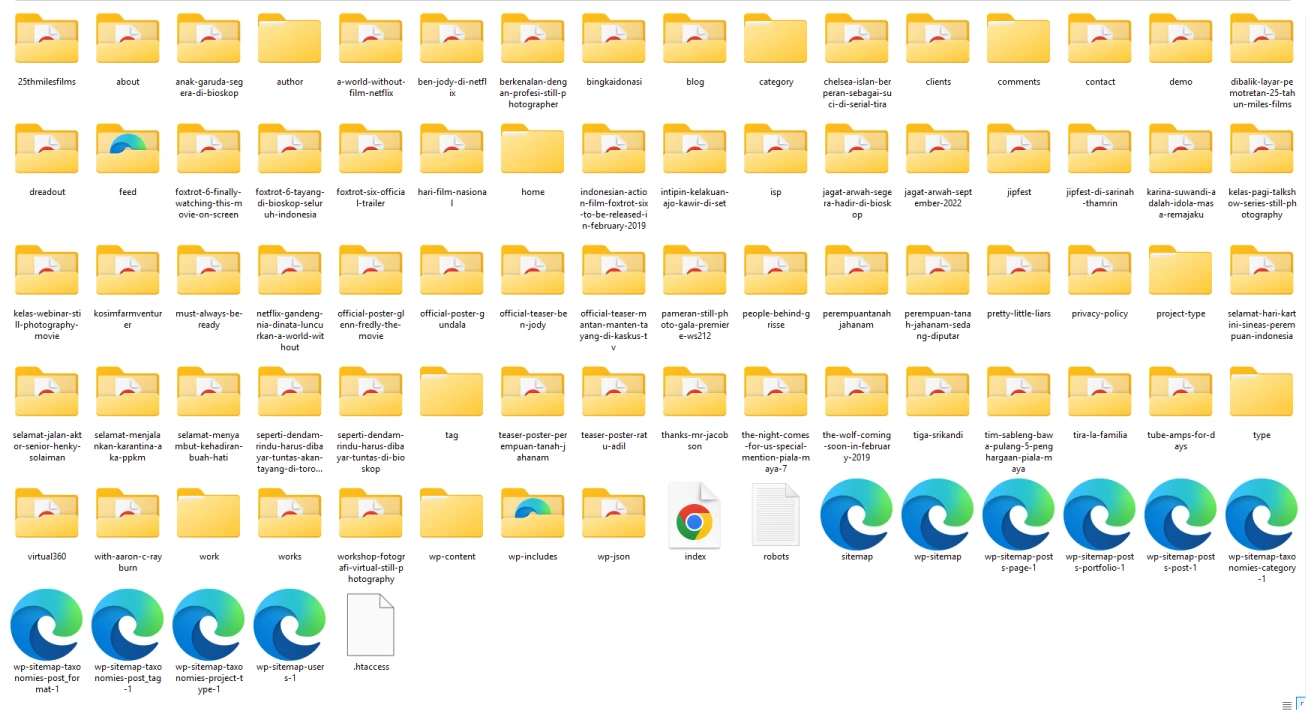
WaybackSnap organizes output into clean folders for pages, assets, WordPress files, sitemap, robots.txt, and deploy-ready files when available from the archive.
WaybackSnap supports restore workflows for different website types, giving you a flexible recovery process from the Wayback Machine.
Download static pages, CSS, JavaScript, images, and key assets from archived snapshots.
Rebuild organized file output for PHP-based websites based on the archive data available.
Use WordPress restore mode to prepare output that better fits a WordPress recovery workflow.
Clear product
A desktop software license, not a done-for-you service.
Clear flow
Buy → activate serial → restore website.
Clear output
Restored files are ready for your own server deployment.
Core Features
WaybackSnap handles the website recovery workflow — from archived pages and assets to SEO-friendly, deployment-ready output.
Download pages, assets, CSS, JavaScript, and images from Wayback Machine snapshots automatically.
Remove toolbar code, tracking scripts, and Wayback Machine injections from restored files.
Internal links, asset paths, and references are converted into cleaner local paths for redeployment.
Generate sitemap.xml, robots.txt, canonical URLs, and cleaner page structure when available from the archive.
Create organized output that can be uploaded to hosting, cPanel, VPS, Apache, Nginx, or similar environments.
Review broken links, failed assets, unresolved references, and restore results before deployment.
SEO-Friendly Output
WaybackSnap is designed to preserve URLs, internal links, asset paths, sitemap, robots.txt, canonical URLs, and file/folder structure as cleanly as possible based on the data available from the Wayback Machine.
Final restore quality depends on what files are available in the public archive.
A simple restore workflow in 4 steps
Paste the Wayback Machine snapshot URL and choose your output directory
Select HTML/PHP or WordPress mode and choose your restore options
WaybackSnap downloads archived pages and rebuilds the website structure
Check reports, review output, and deploy the restored files to your hosting
Quick answers before using WaybackSnap to restore websites from the Wayback Machine.
WaybackSnap helps download archived website pages and assets from the Wayback Machine, then rebuilds them into a clean output structure. Final completeness depends on what files are available in the archive.
No. There are no additional per-domain fees during your active plan. You can restore websites as often as needed while your package is active.
Yes. WaybackSnap supports restore workflows for HTML/PHP websites and WordPress websites based on the archive data available.
WaybackSnap is designed to keep URLs, internal links, asset paths, sitemap, robots.txt, and file/folder structure as clean as possible based on the archived data available.
Yes. WaybackSnap is a Windows desktop application built for restoring websites from the Wayback Machine.
Choose the right plan and start using WaybackSnap for your website recovery workflow.
View Pricing Plans →